Workflow Builder
Your team configures processes. No IT required.
Visual builder for approval routing, escalation rules, and branching logic. When regulations change, you reconfigure in hours — not vendor tickets.
The Vendor’s Workflow or a Six-Month Services Contract. Pick One — Or Neither.
Enterprise eQMS platforms offer two paths: adopt the vendor’s process as shipped, or pay professional services to customize it — then pay again at every upgrade. Both paths end the same way: the quality team stops asking for changes, and the real process drifts away from the system of record.
That drift is the compliance failure. The SOP says one thing, the system enforces another, and the gap between them is where findings live.
Configuration vs. Customization: Why It Matters Under GAMP 5
GAMP 5 draws the line that determines your validation burden: configured products ride on the vendor’s platform validation with risk-based verification of your configuration; customized code demands full lifecycle validation, forever. Part 11 applies either way — signatures, audit trails, and access control must hold through every process change.
Kintavo stays on the right side of that line by design. Workflows are configuration, not code: your team draws the process, the platform supplies the signatures and audit trail, and the validation package covers the configuration you made.
The old way, retired.
This is the actual screen.
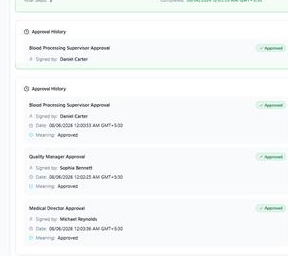
Drawn by Quality. Enforced by the Platform.
The quality manager needs a reagent complaint process — intake, triage, supplier notification, closure. She draws it Tuesday morning: four steps, two signatures, a supplier-quality branch. It runs against test records Wednesday; the verification evidence files itself. The change record is approved Thursday, and the process is live Friday — enforced, signed, and identical to the SOP, because it is the SOP’s diagram.
Part of one connected system.
Workflow Builder shares the same data model, AI engine, and audit trail as the other eighteen modules — so its records see, and are seen by, everything else in your quality system.
Workflow Builder FAQ
Do process changes require revalidation?
Workflow changes are configuration under GAMP 5 — risk-based verification of the change, not full revalidation. The sandbox run produces the verification evidence, and the change record documents it.
Who actually builds workflows — quality or IT?
Quality. The builder is visual and code-free; the platform supplies signatures, audit trails, and enforcement. IT involvement is optional, not structural.
What happens to in-flight records when a workflow changes?
They finish on the version they started under; new work starts on the new version. Every record shows which version it ran on.
Can workflows enforce training and role requirements?
Yes — any step can check role, training currency, and competency at the moment of signing. An unqualified operator cannot complete the step.